Nginx Proxy Manager is a tool that helps you manage domains and route traffic to your applications easily.
It is built on top of NGINX, but instead of writing configuration files, you can control everything from a simple web interface.
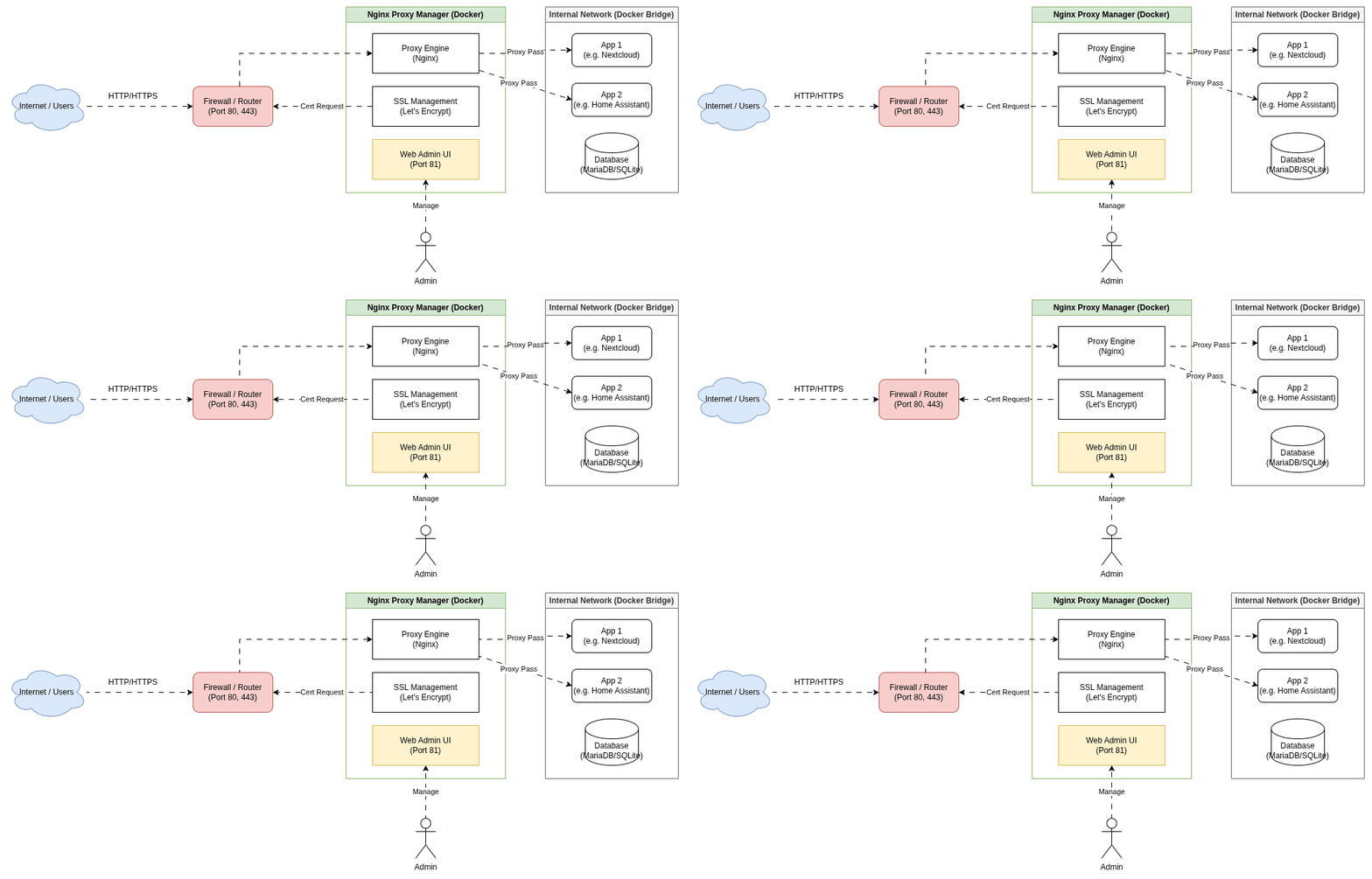
Why Use It?
Normally, configuring Nginx requires editing many config files.
Nginx Proxy Manager makes this easier by allowing you to:
- Add domains
- Forward traffic to apps
- Enable HTTPS with Let’s Encrypt
- Manage everything from a dashboard
Simple Example
Suppose you have an app running on port 3000.
With Nginx Proxy Manager you can connect:
app.example.com → localhost:3000
Now when someone visits your domain, the request goes to your application automatically.
How People Run It
Most developers run Nginx Proxy Manager using Docker.
Once it is running, you open the admin panel in your browser and add your domains.
Conclusion
Nginx Proxy Manager makes server management simple.
You can quickly connect domains to your applications and enable HTTPS without complicated configuration.